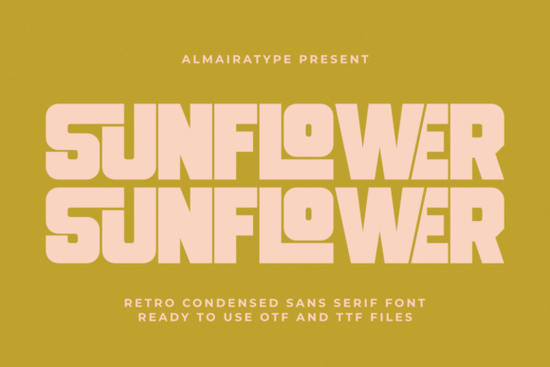
If you're looking for a font that blends vintage charm with bold, modern clarity, the Sunflower Font is worth a closer look. Designed as a retro condensed sans serif, it captures that warm 70s aesthetic while staying crisp and functional for today’s design needs whether you’re creating t-shirt graphics, branding materials, or DIY craft projects.
What makes Sunflower stand out is its tight, geometric structure. The letters are compressed just enough to feel dynamic without sacrificing legibility, even at smaller sizes. This balance is especially useful if you work with limited space like product labels, social media banners, or mug designs where every millimeter counts. Plus, its clean vector outlines play well with cutting machines like Cricut and Silhouette, so your vinyl cuts come out smooth with minimal weeding hassle.
Who is this font best suited for?
Sunflower isn’t just another decorative typeface it’s built with real-world use in mind. Here’s who benefits most:
- Print-on-demand sellers: Its high-impact look grabs attention on apparel and home goods, helping your listings stand out in crowded marketplaces.
- Small business owners: Use it for logos, packaging, or signage when you want a friendly but confident brand voice.
- Crafters and hobbyists: Whether you’re making custom stickers, tote bags, or wall art, Sunflower delivers consistent results across materials.
- Graphic designers: It pairs well with minimalist layouts or layered retro compositions, offering versatility without visual clutter.
How does it compare to other sans serif fonts?
While many modern sans serifs lean ultra-thin or overly geometric, Sunflower leans into personality. It shares some DNA with fonts like Bright Darling Duo, which mixes playful contrast with clean lines, but Sunflower is more uniform and structured ideal when you need consistency over flourish.
If you prefer something with more handwriting warmth, you might also consider Ballpoint Writing, which mimics pen-on-paper texture. Or for a sleeker, contemporary alternative, Modern Limited offers refined minimalism. And if you’re drawn to urban streetwear vibes, Godplan brings a bolder, almost graffiti-inspired energy.
Each of these has its place, but Sunflower fills a specific niche: retro-inspired, highly legible, and production-ready.
Will it work with my design software and tools?
Yes. Sunflower comes in standard OpenType (OTF) and TrueType (TTF) formats, so it installs easily on Mac, Windows, and works across Adobe Creative Suite, Canva (via upload), Affinity apps, and more. More importantly for crafters, its paths are optimized for cutting no stray points or overlapping vectors that cause errors in Cricut Design Space or Silhouette Studio.
That means fewer test cuts, less wasted vinyl, and faster turnaround on custom orders. For POD creators juggling dozens of designs weekly, that reliability adds up.
Where can I see it in action?
Imagine Sunflower on a sun-bleached concert tee, a retro soda bottle label, or a summer festival poster the kind of design that feels nostalgic but doesn’t look dated. It shines when paired with warm earth tones, mustard yellows, or muted oranges, though it holds its own against stark black-and-white schemes too.
You can explore how others are using it by checking out the official listing: Sunflower Font.
Tips for getting the most out of Sunflower
- Avoid tight tracking: Since it’s already condensed, adding extra letter-spacing can break its intended rhythm.
- Use all-caps sparingly: While it looks great in uppercase for headlines, mixed case often improves readability in longer phrases.
- Pair with simple sans serifs: Try combining it with neutral fonts like Helvetica or Montserrat for body text to let Sunflower take center stage.
Before you commit, preview it with your actual project text not just “The quick brown fox…” but your brand name, slogan, or product line. That’ll tell you faster than any spec sheet whether it’s the right fit.
Quick checklist before you buy
- ✅ Confirm your software supports OTF/TTF fonts.
- ✅ Check licensing commercial use is included, but verify if you’re selling digital templates.
- ✅ Test print or cut a sample phrase to assess spacing and stroke weight in real conditions.
- ✅ Browse similar options like Sunflower’s category page to ensure it’s the best match for your style.
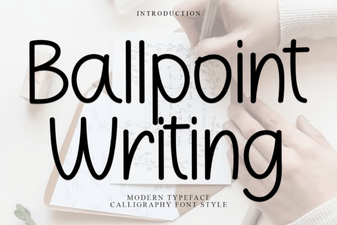 Design Your Next Project with Ballpoint Font Style
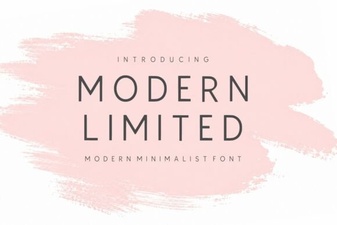 Modern Font Selection for Creative Projects
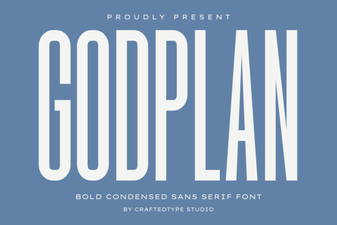 Godplan Font: Creative Typography for Modern Design
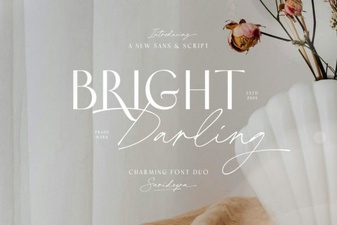 Bright Darling Duo Font: Pairing Tips & Creative Ideas
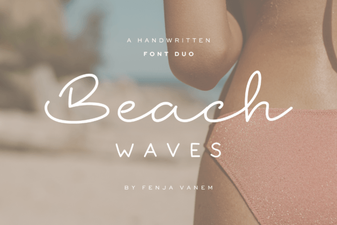 Beach Waves Duo Font for Design & Web Projects
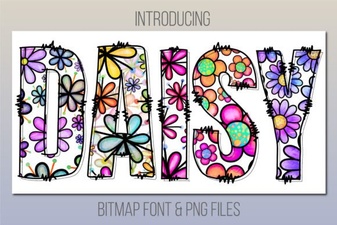 Design Your Projects with the Daisy Font Style